Discord integration
The Biel.ai Discord bot lets members of your server ask questions about your documentation in any channel using the /ask slash command.
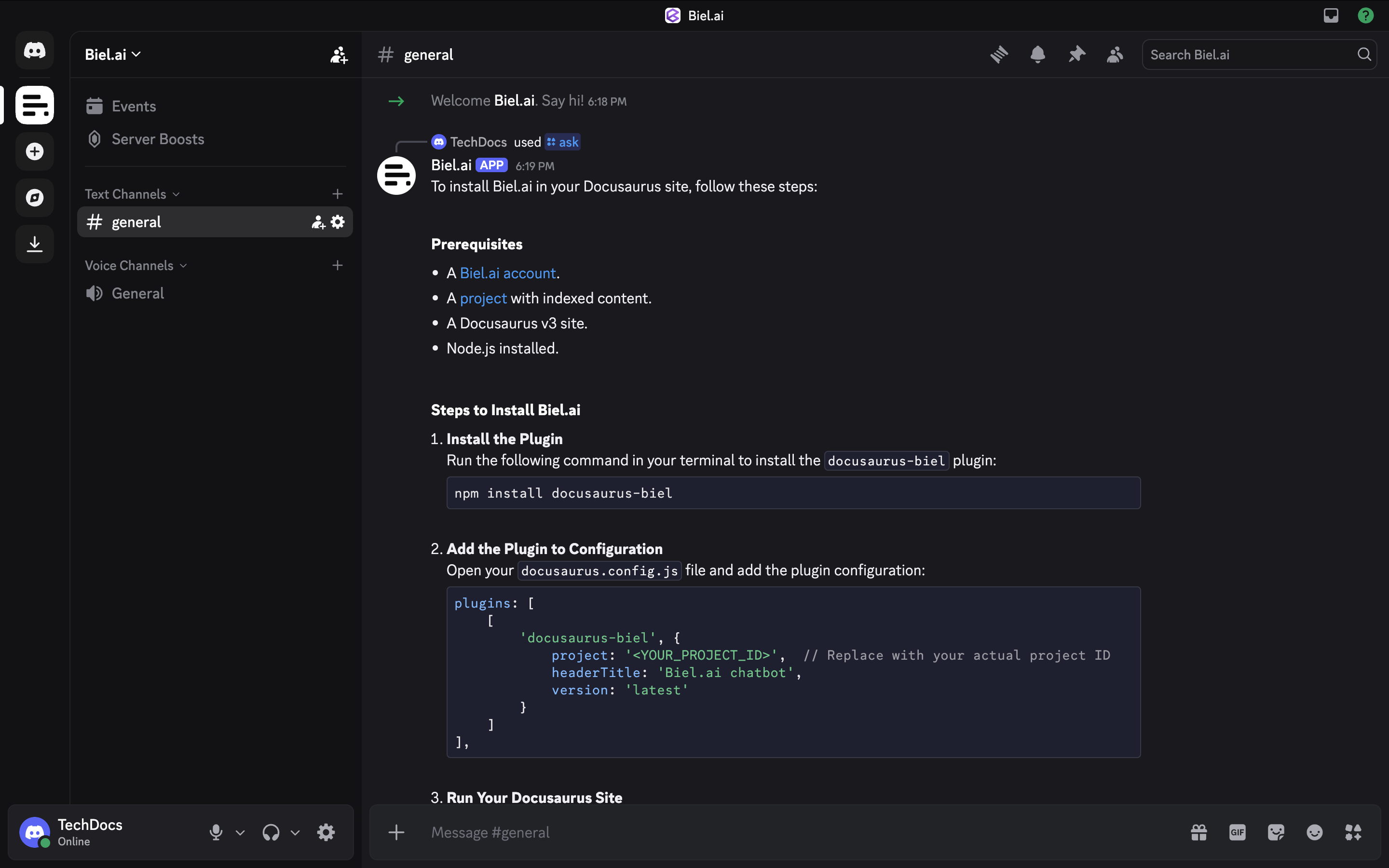
What you can do
- Slash command: members use
/askto get answers from your documentation. - Works in any channel: the bot responds wherever it has permission, no setup per channel required.
- Per-thread context: an
/askfrom a channel root opens a Discord thread on the reply, and follow-up/asks inside that thread share the same conversation. - Reset the conversation: use
/clearto start a fresh context in the current thread or DM.
Prerequisites
- A Biel.ai account with a project that has indexed content.
- A Discord server where you have Manage Server permission (required to authorize bots).
Setup
- Go to your project settings in the Biel.ai dashboard.
- Under the Integrations section, find the Discord card and click Add to Discord.
- Discord opens an authorization page. Select the server where you want to install the bot and click Authorize.
- After authorizing, you are redirected back to Biel.ai and the bot is connected.
The /ask command is available to all members of the server.
Usage
Asking questions
In any channel in your server, type:
/ask question: How do I reset my password?
When you run /ask from a channel root, Biel posts the reply and opens a public Discord thread anchored to it. Run /ask again inside that thread to ask follow-up questions with the conversation history kept. A new /ask from the channel root always opens a new thread with fresh context. In DMs, the bot has no threads, so all /asks in the same DM share one conversation.
Starting a new conversation
Run /clear inside a thread or DM to reset its context. Only you see the confirmation, and your next /ask starts a fresh conversation.
Make sure your Biel.ai project has indexed content. You can check this from the Sources tab in your project settings.
Troubleshooting
The /ask command doesn't appear
Discord can take a few seconds to register new slash commands. Wait a moment and try again. If it still doesn't appear, try restarting your Discord client.
The bot doesn't respond
Check that the bot has Send Messages and Use Application Commands permissions in the channel. These can be configured in the channel's permission settings.
The bot gives incorrect or outdated answers
Re-index your documentation in the Biel.ai dashboard to make sure the bot is querying the latest content.
Need help? Contact us or visit the support page.