View analytics
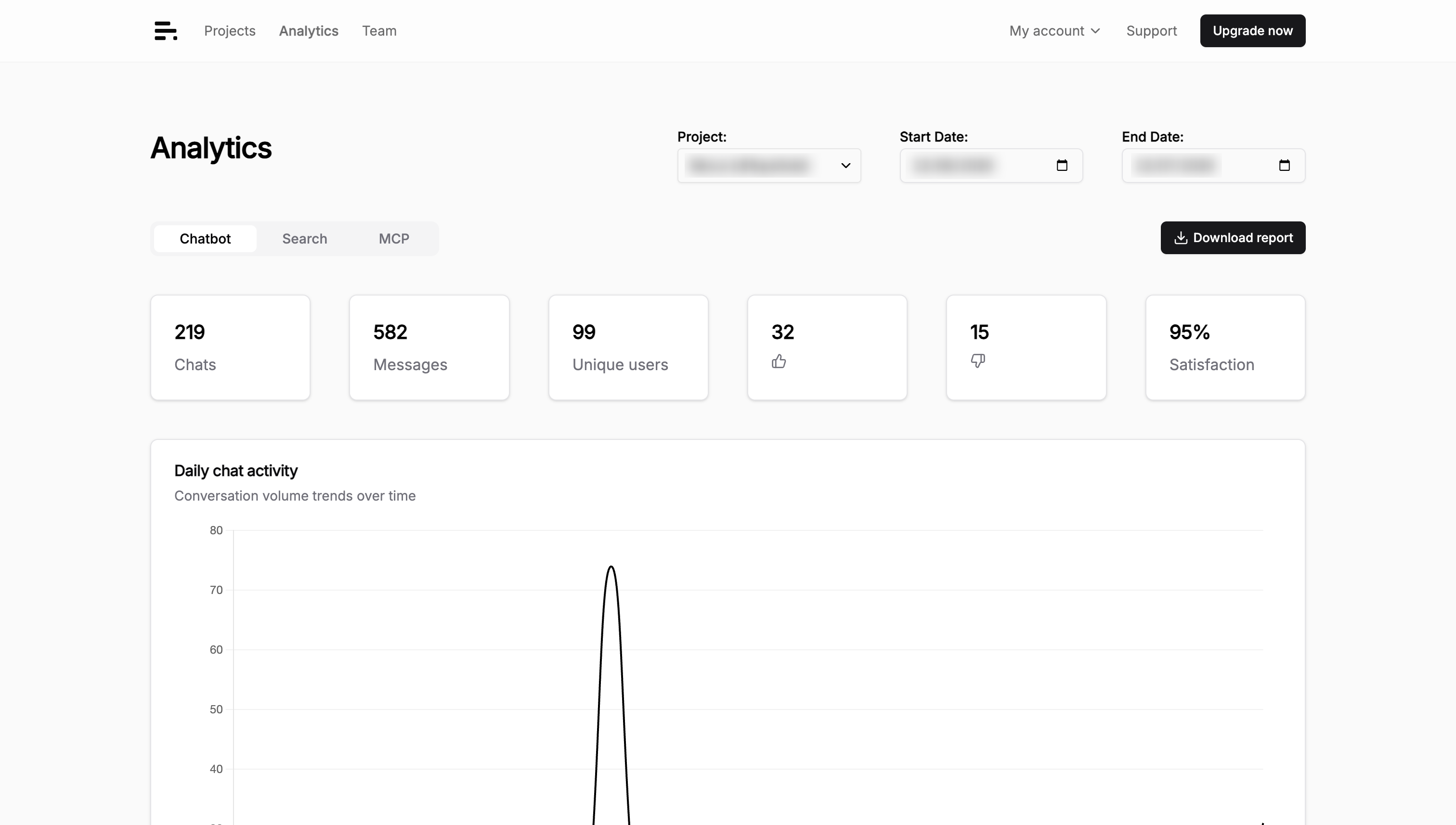
The Analytics view tracks project activity for a selected period, organized into Chatbot, MCP, and Search tabs:
important
Only Administrator, Maintainer, or Editor roles can view analytics. See Manage roles.
Chatbot analytics
- Chats: Total number of chat sessions.
- Messages: Total number of messages exchanged.
- Unique users: Number of distinct users who interacted with the chatbot.
- Satisfaction: User satisfaction percentage.
- Daily chat activity: Graph showing chat activity over time.
- Key pages driving conversations: URLs where chatbot conversations originated, with occurrence counts.
- Top countries driving conversations: Geographic distribution showing which countries users are chatting from.
- Frequently asked questions (Professional, Business, and Enterprise plans): Most common questions asked to your chatbot, grouped by semantic similarity. Analyzed daily.
- Content gaps (Professional, Business, and Enterprise plans): Questions the chatbot couldn't answer, grouped by semantic similarity. Analyzed daily.
MCP analytics
Use this tab to understand how people use your documentation through connected MCP clients.
- Chats: Total MCP chat sessions in the selected period.
- Messages: Total user questions received through MCP.
- Unique users: Number of distinct users who interacted through MCP.
- Daily MCP activity: Graph showing MCP conversation volume over time.
- Top MCP clients: Editors and agents from which users sent MCP questions, with message counts. Client names are supplied by the client itself.
Search analytics
- Unique users: Number of distinct users who performed searches.
- Searches: Total number of search queries.
- Searches clicked: Percentage of searches where users clicked on a result.
- Click position: Average rank of clicked results. Lower positions indicate that people find useful results nearer the top; it remains unavailable until clicks include a result rank.
- Daily search activity: Graph showing search activity over time.
- Top search terms: Most frequently searched terms with occurrence counts.
- Searches without results: Queries that returned no results. Use these to identify missing content or indexing gaps.
- Searches without clicks: Queries for which no result was opened. This list stays empty until every recorded click in the selected period includes its originating query, so Biel.ai does not report an incomplete list as a content issue.
Troubleshooting
FAQs or content gaps not showing
- Plan requirement: These features require a Professional, Business, or Enterprise plan.
- Recently upgraded: Wait 24 hours — the analysis runs daily.
- No historical data: Biel.ai only processes conversations that occur after your upgrade.
- No conversations: There were no chatbot conversations to analyze from the previous day.