Data privacy
Configure how Biel.ai stores chat message text and IP addresses, and whether the widget asks users to accept your terms.
Only Administrator or Maintainer roles can manage projects. See Manage roles.
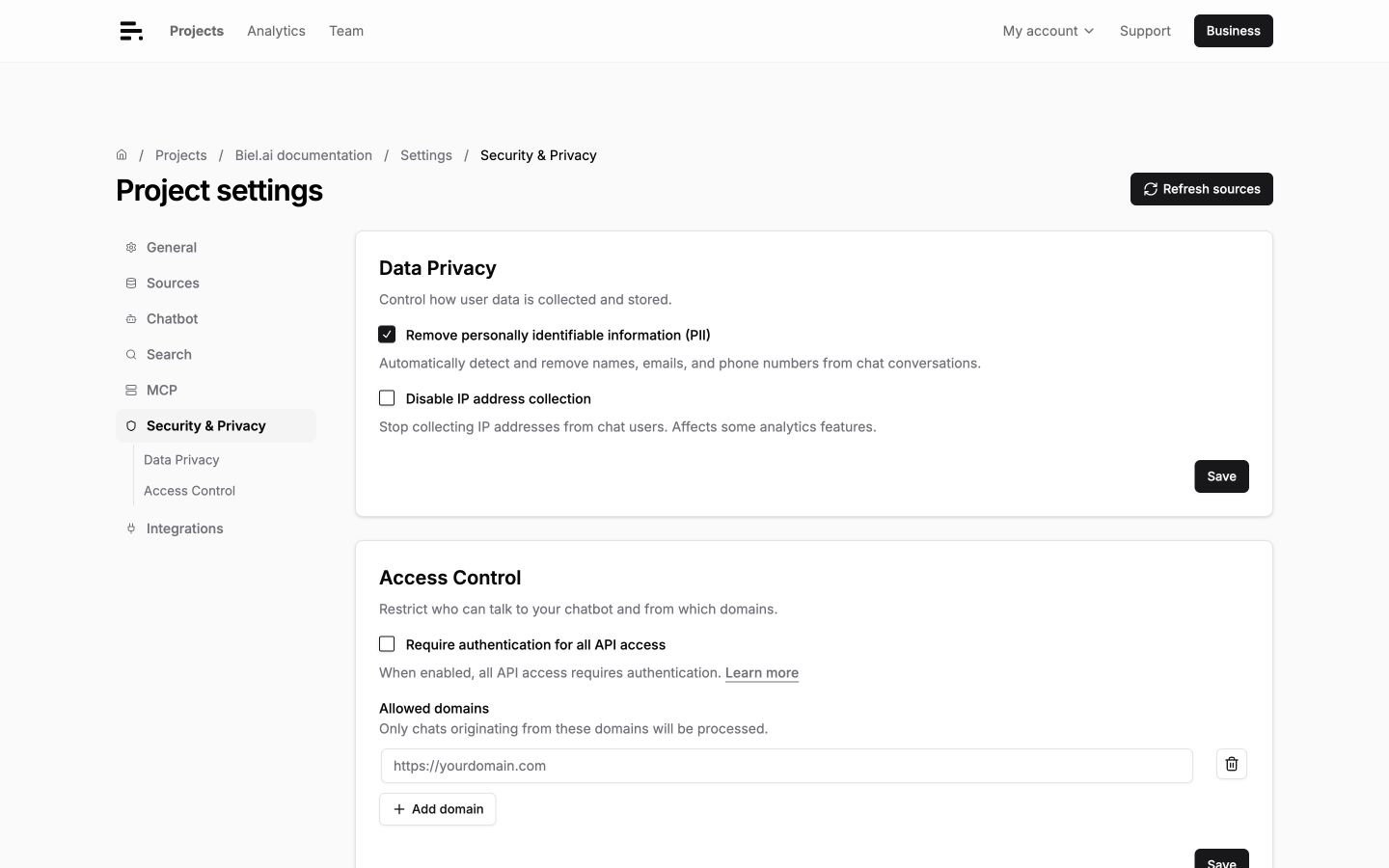
Remove personally identifiable information
Biel.ai can detect and redact names, emails, and phone numbers from chat message text before saving it. Detected values are replaced with redaction placeholders.
-
In the Biel.ai dashboard, select your project.
-
Click Settings.
-
Under Security & Privacy > Data Privacy, enable Remove personally identifiable information (PII).
-
Click Save on the Data Privacy card.
Future conversations automatically redact PII.
Disable IP address collection
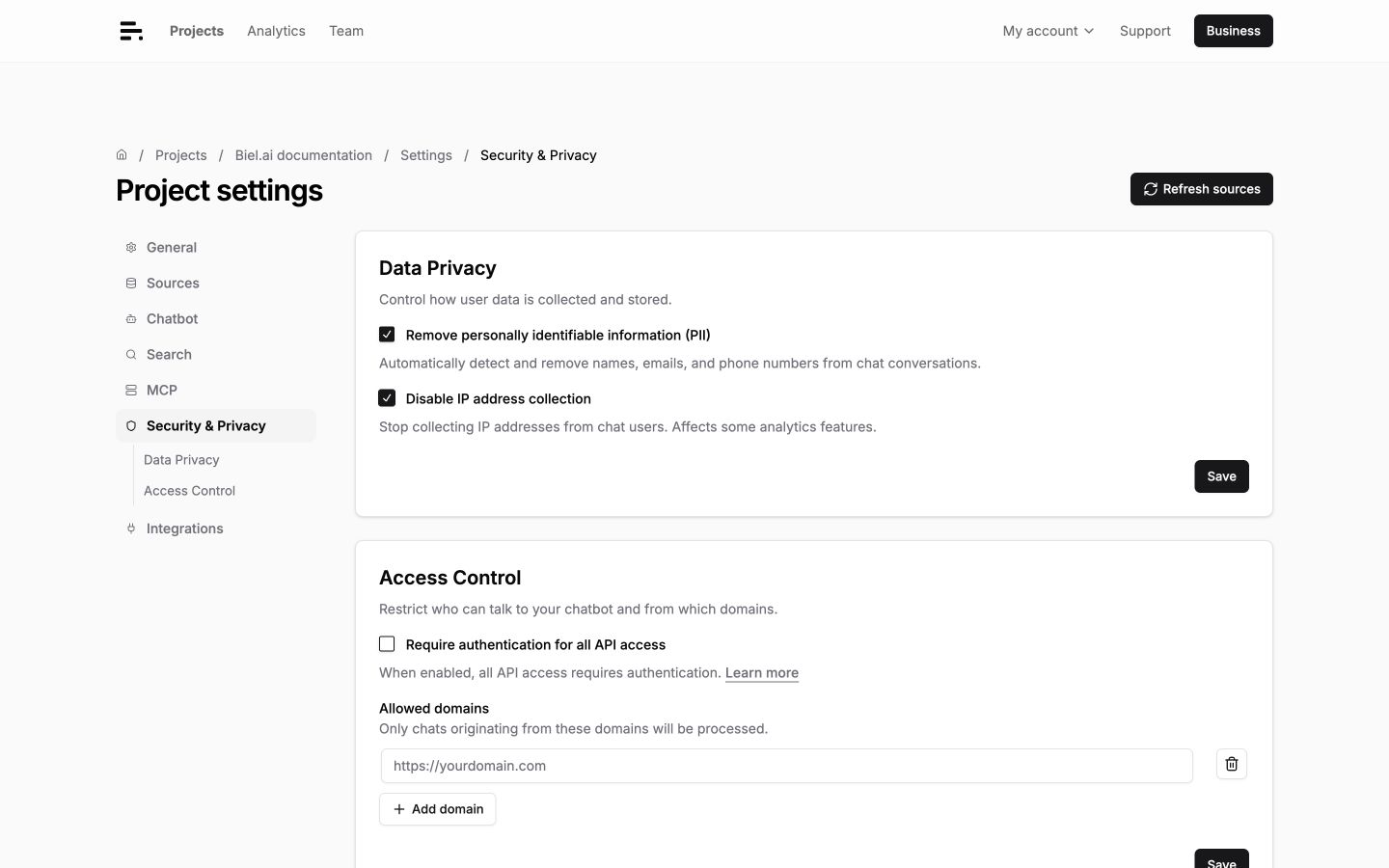
Stop saving user IP addresses with chats and messages. This changes how analytics estimates unique users: chats without a saved IP each count as one user. Country information can still be derived from the request.
-
In the Biel.ai dashboard, select your project.
-
Click Settings.
-
Under Security & Privacy > Data Privacy, enable Disable IP address collection.
-
Click Save on the Data Privacy card.
Require Terms & Conditions acceptance
Require users to accept Terms & Conditions before starting a conversation.
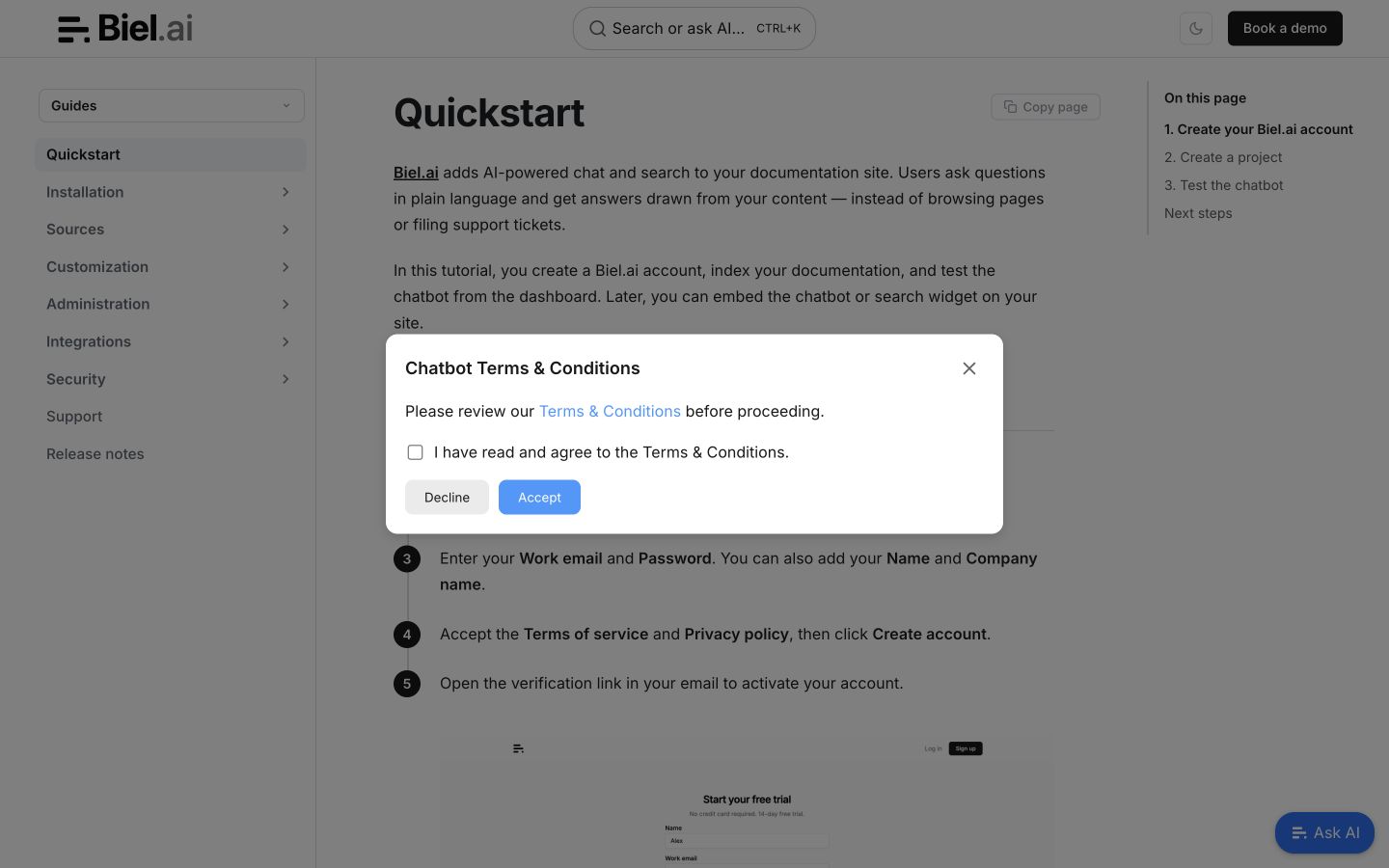
Add these attributes to your <biel-button>:
<biel-button
    show-terms-modal="true"
    terms-title="Assistant Terms & Conditions"
    terms-description="Please review our <a href='https://biel.ai/terms' target='_blank' rel='noopener'>Terms & Conditions</a> before proceeding."
    terms-checkbox-text="I have read and agree to the Terms & Conditions."
    project="<PROJECT_ID>">
        Ask AI
</biel-button>
Replace <PROJECT_ID> with your project ID. Update the terms-description link to point to your own Terms & Conditions.