GitHub repositories
Add GitHub repositories to include documentation, README files, and code comments in your assistant's knowledge base.
File content remains private. Your assistant won't expose file links as sources to users.
When to use GitHub repositories
Use GitHub repositories for:
- Documentation stored with code (README files, docs folders)
- Private internal documentation
- API documentation and code examples
- Developer guides and technical content
Add a repository
-
In the Biel.ai dashboard, select your project.
-
Go to Settings > Sources > GitHub.
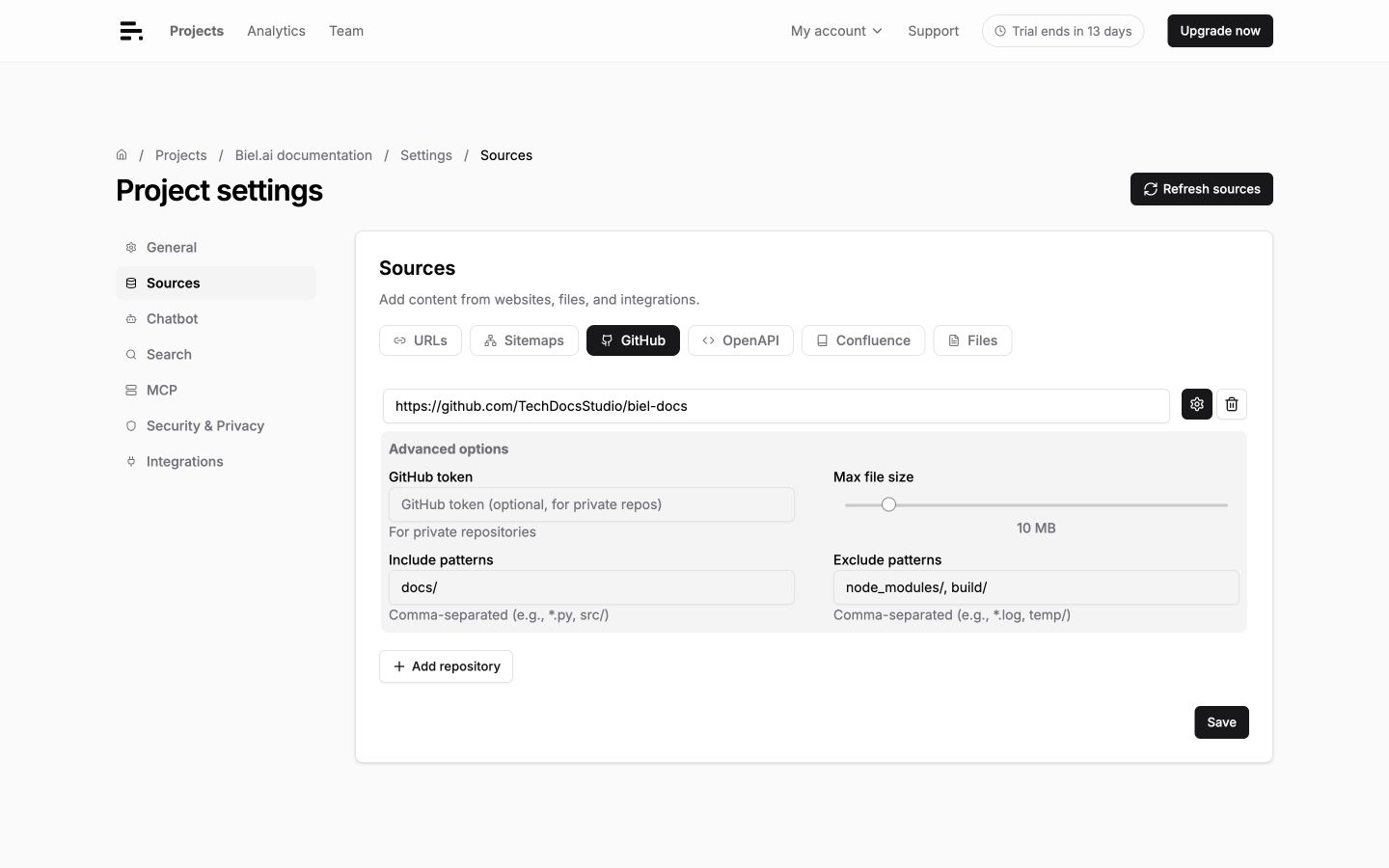
-
Enter the repository URL (e.g.,
https://github.com/owner/repo). -
Click Save.
-
Click Refresh sources to index the repository. Check the loading status and Logs in the project dashboard.
Private repositories
Private repos require a GitHub personal access token:
- Go to GitHub Settings > Personal access tokens.
- Click Generate new token (classic).
- Select the
reposcope and click Generate token. - Copy the token.
- In Biel.ai, click the settings icon beside the repository URL to expand Advanced options, then paste the token in GitHub token.
- Click Save, then Refresh sources.
Filter files
Control which files get indexed using include and exclude patterns.
Open the repository's Advanced options and enter comma-separated values in Include patterns or Exclude patterns. Click Save, then Refresh sources to apply them.
| Pattern | Action | Effect |
|---|---|---|
*.md | Include | Only Markdown files |
docs/ | Include | Only files in docs folder |
*.rst | Include | Only reStructuredText files |
node_modules/ | Exclude | Skip dependencies |
.git/ | Exclude | Skip Git metadata |
*.test.* | Exclude | Skip test files |
build/ | Exclude | Skip build artifacts |
Advanced options
- Multiple repositories: Add different repositories as separate sources
- Branch selection: Default branch is indexed (usually
mainormaster) - Submodules: Not automatically indexed—add as separate sources
Troubleshooting
Repository not found
- Check URL format:
https://github.com/owner/repo. - For private repos, verify the token has
reposcope and hasn't expired.
Files not indexing
- Check that include patterns match your file paths.
- Review exclude patterns for over-exclusion.
- Verify files are in supported formats (Markdown, plain text, reStructuredText).
Token issues
- Confirm the token has
reposcope. - Regenerate the token if it has expired.
- Check that repository permissions haven't changed.