Confluence as a data source
Connect a Confluence Cloud space to Biel.ai to index your team's pages and make them searchable through the assistant.
Prerequisites
- A Biel.ai account.
- An existing project.
- An Atlassian account with access to the Confluence pages you want to index.
- Confluence Cloud (Server is not supported).
1. Generate a Confluence API token
- Open your Atlassian account's API tokens.
- Click Create API token, enter a name, and select an expiration date. Use a token without scopes for Biel.ai's connection to your site's URL.
- Click Create, then Copy to clipboard. You cannot view the token again after closing this screen.
See Manage API tokens for your Atlassian account for details.
2. Connect Confluence to Biel.ai
-
In the Biel.ai dashboard, select your project.
-
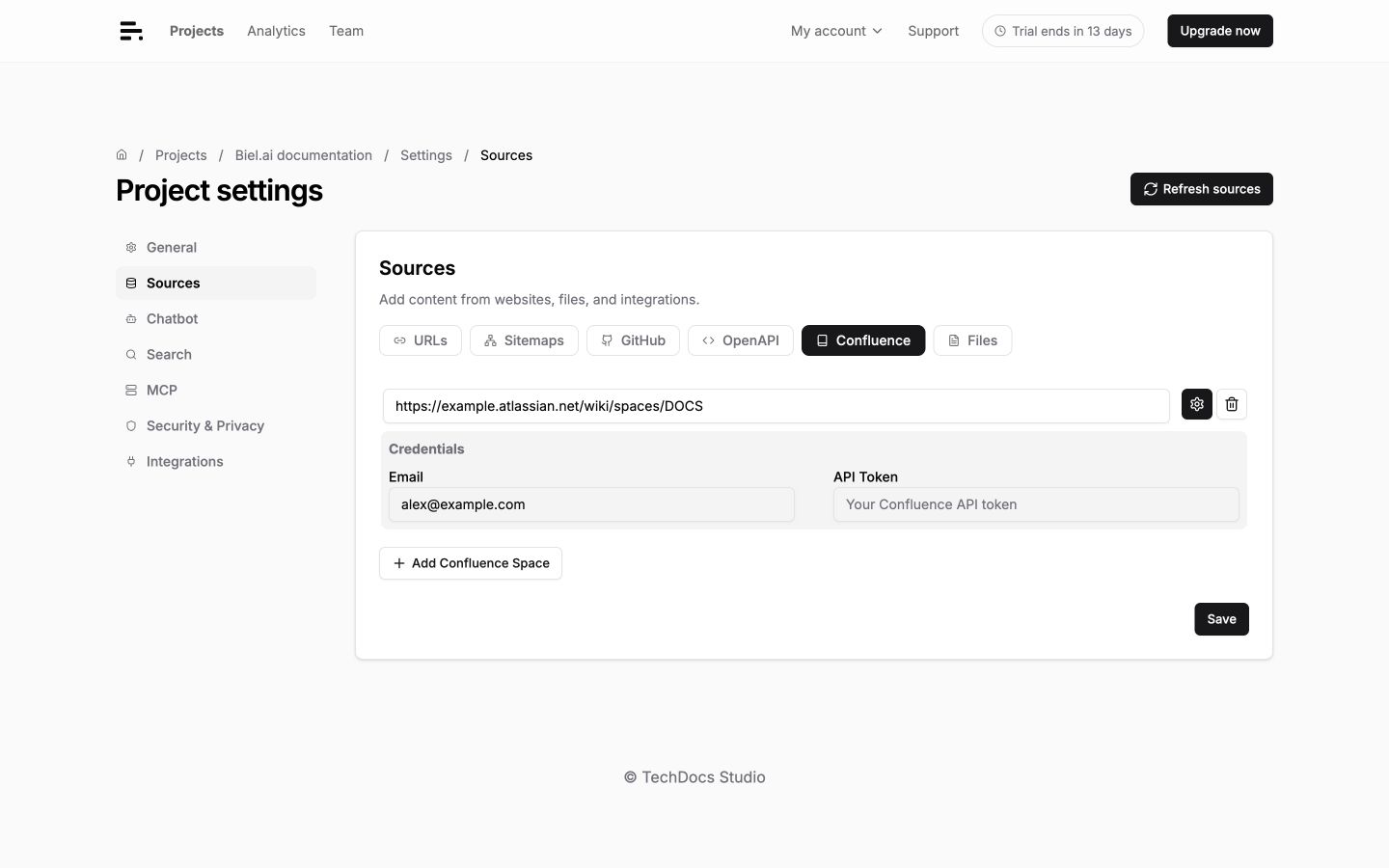
Go to Settings > Sources > Confluence.
-
Enter the space URL, such as
https://yourcompany.atlassian.net/wiki/spaces/DOCS. -
Click the settings icon beside the URL to show Credentials, then enter your Atlassian account Email and API Token.
-
Click Save.
-
Click Refresh sources to index the space's pages.
Finding your space URL
Navigate to any page in your Confluence space and copy the URL up to /spaces/SPACENAME.
Monitor the loading status in the project dashboard and open Logs to check which pages were indexed.
Troubleshooting
Authentication failed
- Verify your email matches your Atlassian account.
- Check the API token is correct and hasn't expired.
- Ensure you have access to the specified space.
Pages not indexing
- Check that pages are published (not drafts).
- Verify space permissions allow API access.
- Large spaces may take longer to process.
Content quality issues
- Confluence macros may not render properly in AI responses.
- Consider excluding template or boilerplate pages with URL filters.