Sitemaps
Add entire websites using XML sitemap files. Sitemaps efficiently index large amounts of content from a single domain.
When to use sitemaps
Use sitemaps to:
- Add complete documentation sites or blogs
- Index hundreds or thousands of pages efficiently
- Automatically discover new pages as they're added
- Handle structured website content
Requirements
Sitemaps must:
- End with
.xml - Be publicly accessible
- Follow the XML Sitemap Protocol
Supported types:
- Standard sitemaps (single XML files)
- Sitemap indexes (reference multiple sitemaps)
- Nested sitemaps (linked sitemaps)
Add sitemaps
-
In the Biel.ai dashboard, select your project.
-
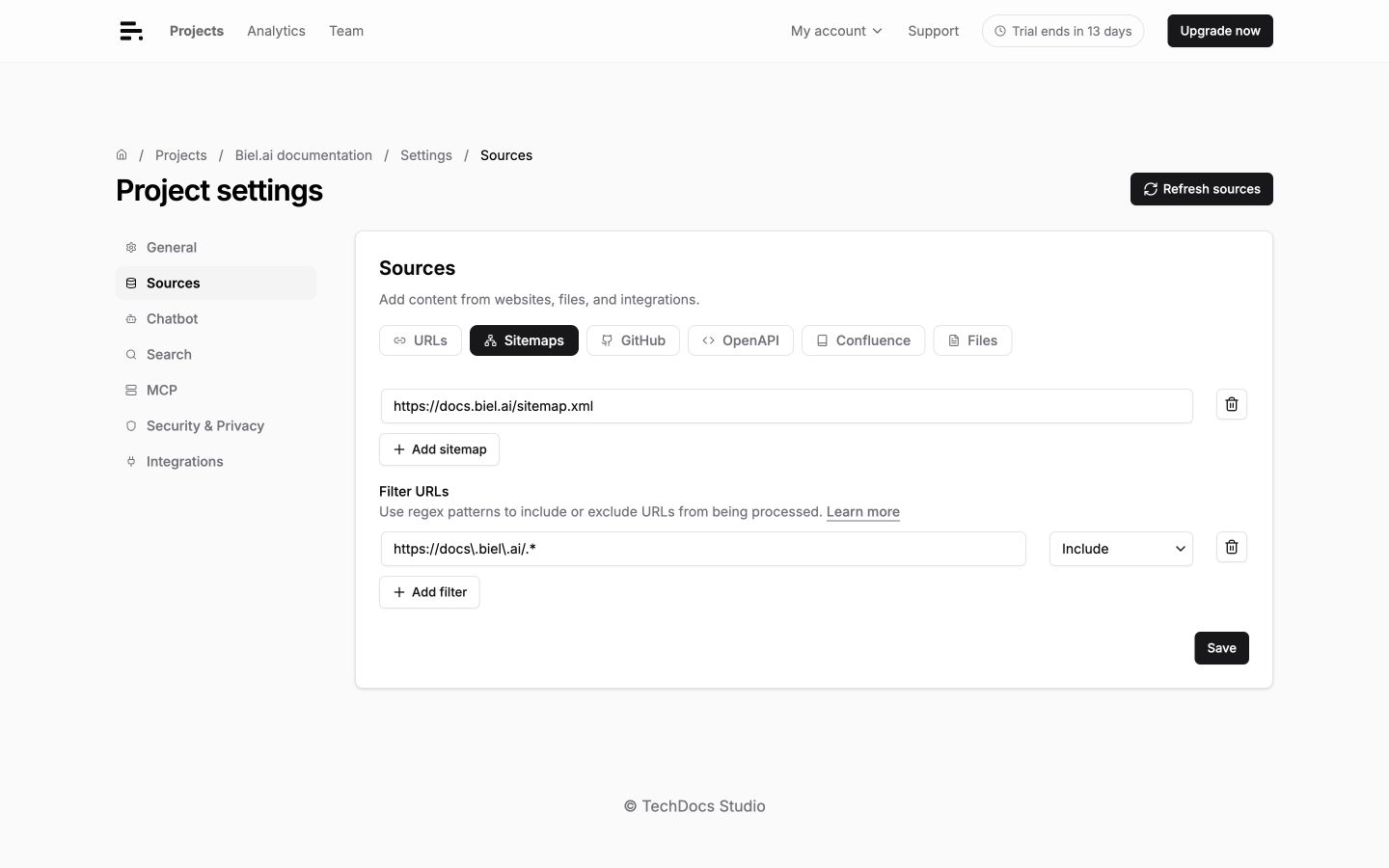
Go to Settings > Sources > Sitemaps.
-
Enter the sitemap URL (must end in
.xml). -
Click Save.
-
Click Refresh sources to discover and index the sitemap's pages. Check the loading status and Logs in the project dashboard.
Example sitemap URLs:
https://docs.example.com/sitemap.xml
https://blog.example.com/sitemap.xml
https://help.example.com/sitemap_index.xml
Find sitemaps
Common locations:
https://yoursite.com/sitemap.xml
https://yoursite.com/sitemap_index.xml
https://yoursite.com/sitemaps/sitemap.xml
Platform-specific patterns:
| Platform | Sitemap URL |
|---|---|
| Docusaurus | https://yoursite.com/sitemap.xml |
| GitBook | https://yourorg.gitbook.io/sitemap.xml |
| WordPress | https://yoursite.com/wp-sitemap.xml |
For other platforms, check robots.txt at https://yoursite.com/robots.txt for sitemap declarations.
Filter URLs
Use URL filters to decide which pages from your sitemaps Biel indexes. Each
filter has a regular expression pattern
and an action: Include or Exclude. Biel compares the pattern with the
complete URL, such as https://docs.example.com/guides/install/.
-
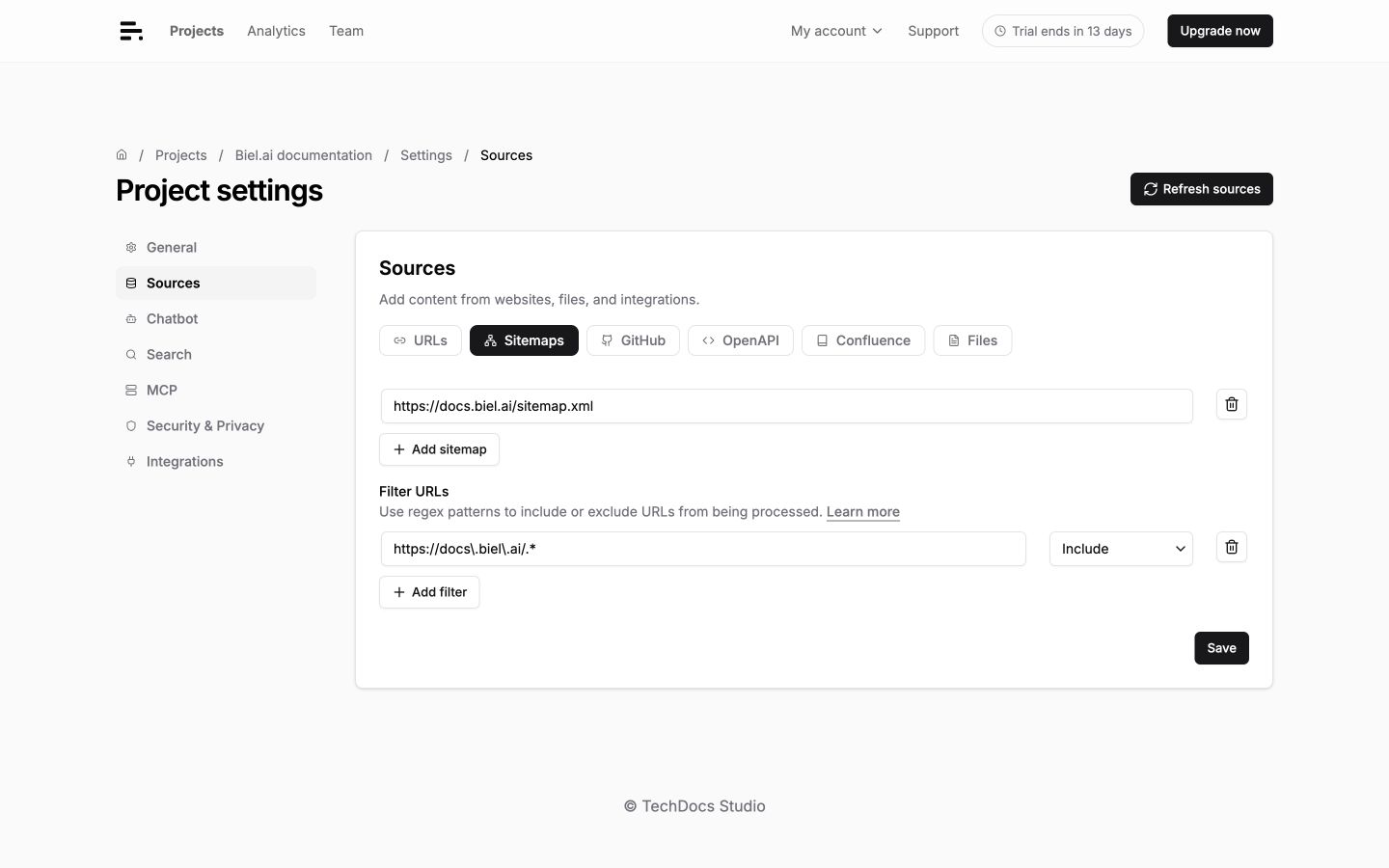
Go to Projects > your project > Settings > Sources > Sitemaps.
-
Add one or more filter rules under Filter URLs.
-
Click Save, then Refresh sources to apply the filters to the next crawl.
Choose an action
- If no include rules exist, all URLs are included by default.
- If include rules exist, a URL is kept when it matches any include pattern.
- An exclude rule always takes precedence: a matching URL is skipped even when it also matches an include rule.
Filters apply to URLs from every sitemap configured in the project.
Write a URL pattern
Start with the part of the URL you want to match. For example, this include pattern keeps documentation paths on any configured domain:
/docs(?:/|$)
Use regular expression syntax rather than wildcard syntax: write
/docs(?:/|$), not **/docs/**. Patterns are case-sensitive.
To restrict a rule to one domain, match from the beginning of the complete URL:
^https://docs\.example\.com/guides(?:/|$)
In this pattern:
^means the match must start at the beginning of the URL.docs\.example\.commatches the domain;\.represents a literal dot./guides(?:/|$)matches/guides, everything below it, and no similarly named path such as/guides-old.
You can omit ^https:// when a path pattern should apply to every configured
domain.
Examples
| Pattern | Action | Effect |
|---|---|---|
| `^https://docs\.example\.com/docs(?:/ | $)` | Include |
| `/api(?:/ | $)` | Exclude |
| `/deprecated(?:/ | $)` | Exclude |
| `^https://docs\.example\.com/(?:en | fr)(?:/ | $)` |
| `.pdf(?:$ | [?#])` | Exclude |
| `/[0-9]+.[0-9]+.[0-9]+(?:/ | $)` | Exclude |
To include selected sections from different domains, create one include rule per section. For example:
| Pattern | Action |
|---|---|
| `^https://docs\.example\.com(?:/ | $)` |
| `^https://example\.com/extensions/product(?:[-/] | $)` |
| `^https://example\.com/api/Product(?:[./] | $)` |
All other sitemap URLs are omitted because they do not match an include rule. You do not need to create exclude rules for every unrelated path.
Avoid broad catch-all rules unless they are intentional:
- An include rule containing
.*includes every URL. - An exclude rule containing
.*excludes every URL.
Sitemap index files
Large sites often use index files that reference multiple sitemaps:
<sitemapindex xmlns="http://www.sitemaps.org/schemas/sitemap/0.9">
  <sitemap>
    <loc>https://example.com/docs-sitemap.xml</loc>
  </sitemap>
  <sitemap>
    <loc>https://example.com/blog-sitemap.xml</loc>
  </sitemap>
</sitemapindex>
Biel.ai automatically follows sitemap indexes and processes all referenced sitemaps.
Troubleshooting
Sitemap not found
- Check URL format (must end with
.xml). - Try common sitemap locations listed in Find sitemaps.
- Check
robots.txtfor sitemap declarations.
Partial indexing
- Verify pages in the sitemap are publicly accessible.
- Review URL filters for over-exclusion.
- JavaScript-heavy pages may not index properly.