OpenAPI documents
Add OpenAPI specs to index API documentation. Structured YAML/JSON is parsed more accurately than crawling API docs websites — all endpoints, parameters, and schemas are captured.
tip
File content remains private. Your assistant won't expose file links as sources to users.
Requirements
- Valid OpenAPI/Swagger syntax (versions 2.0, 3.0.x, 3.1.x).
- JSON (
.json) or YAML (.yaml,.yml) format. - Publicly accessible URL.
Add an OpenAPI document
-
In the Biel.ai dashboard, select your project.
-
Go to Settings > Sources > OpenAPI.
-
Enter the document URL.
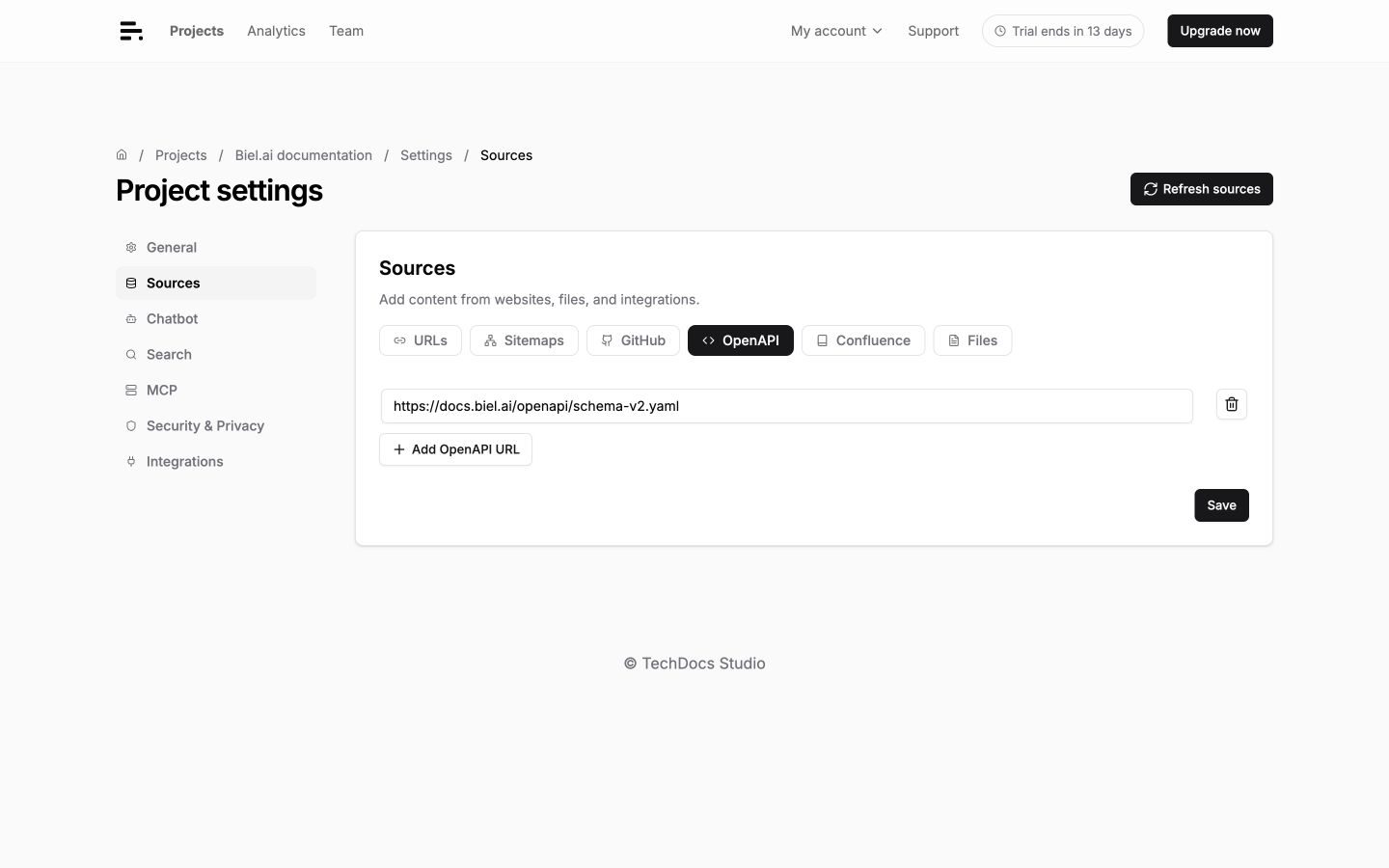
-
To add another specification, click Add OpenAPI URL and enter its URL.
-
Click Save.
-
Click Refresh sources to index the specifications. Check the loading status and Logs in the project dashboard.
Example URLs:
https://api.example.com/openapi.json
https://docs.example.com/swagger.yaml
https://api.example.com/v1/openapi.yml
Troubleshooting
Document not loading
- Check the URL is publicly accessible.
- Verify valid OpenAPI syntax.
Validation errors
- Check logs for validation details.
- Fix syntax errors and click Refresh sources.