Q&A
Add answers to common questions without creating a web page or uploading a file. Use Q&A for product details, support instructions or information missing from your other sources.
Add questions and answers
- Open your project’s Settings > Sources.
- Select Q&A.
- Enter a Question and its Answer in the grid.
- Click Add Q&A for each additional pair.
- Click Save, then Refresh sources.
- When processing finishes, ask your assistant one of the questions to check the answer.
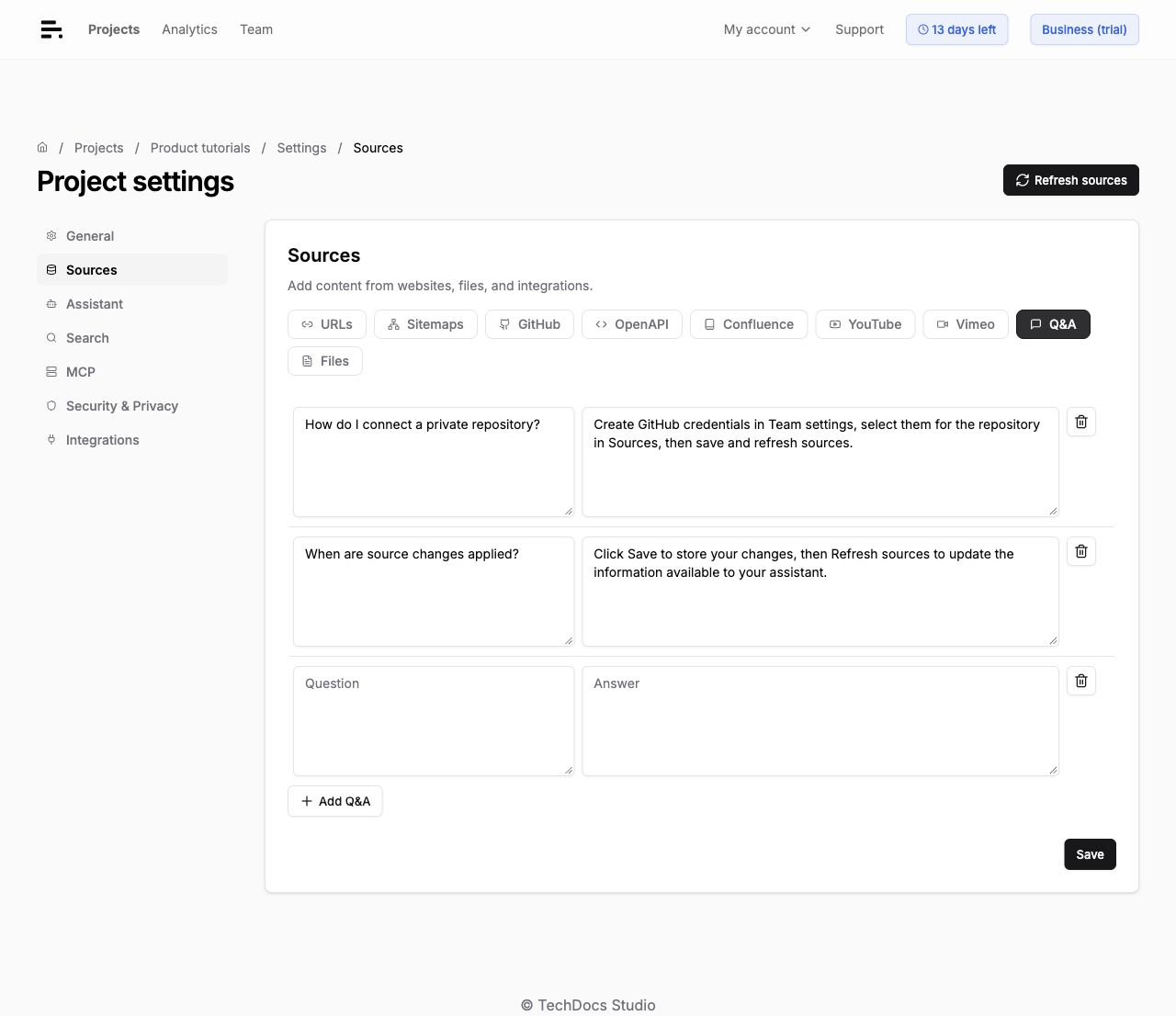
Each question and answer pair is a separate source and counts as one page toward your plan’s source limit. Both fields are required. Questions can contain up to 500 characters, and answers up to 50,000 characters. Empty rows are ignored.
Write useful answers
Use a clear question and a complete, specific answer. Include any conditions that affect the answer, such as the product version or plan. Put unrelated topics in separate rows so you can maintain them independently.
For example:
| Question | Answer |
|---|---|
| Can I add a YouTube playlist? | Add each video using its individual YouTube URL. Channel and playlist URLs are not supported. |
Your assistant can use this information when someone asks a related question in different words. Q&A adds knowledge to your assistant. It does not force an exact response or override conflicting content in other sources.
Edit or remove an answer
Edit either field, click Save, then Refresh sources. The pair keeps its identity when you change the question or answer. Unchanged content can reuse its existing index during refresh.
To remove a pair, click its delete icon. Use Undo to cancel before saving. Click Save and Refresh sources to apply the removal.
Access and search
Q&A is used in assistant answers and excluded from the widget’s default page search. It has no public source URL, so answers do not link to a separate Q&A page.
Anyone who can use your assistant can receive answers based on this content. For restricted information, configure access to your assistant.
Use the Sources API
Create pairs with the Add source endpoint using JSON:
{
  "qas": [
    {
      "question": "Can I add a YouTube playlist?",
      "answer": "Add each video using its individual YouTube URL. Channel and playlist URLs are not supported."
    }
  ]
}
Each pair returns its own UUID and type: "qa". Use the Sources API to list, read or delete it. Refresh sources after adding or deleting pairs.